Skip to product information
1 of 7

Garmin

Garmin HuntView Plus MapCard

Garmin HuntView Plus MapCard

$89.99 $88.00
Select State
Quantity

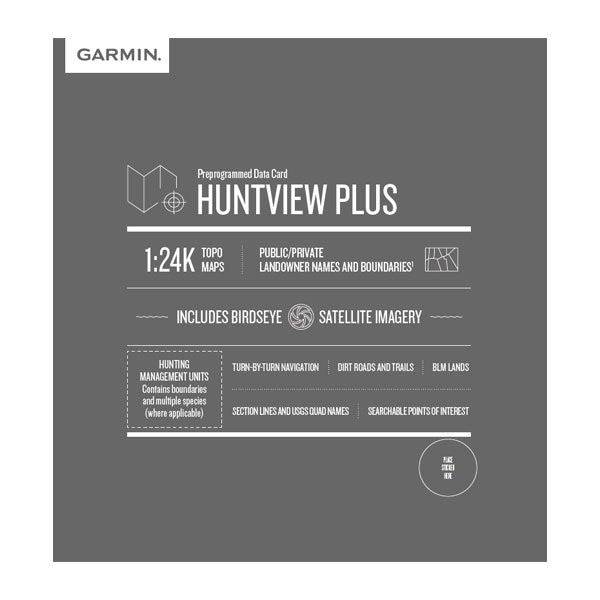
Garmin HuntView Plus hunting maps offers a versatile and powerful land ownership map solution for your Garmin handheld GPS device.

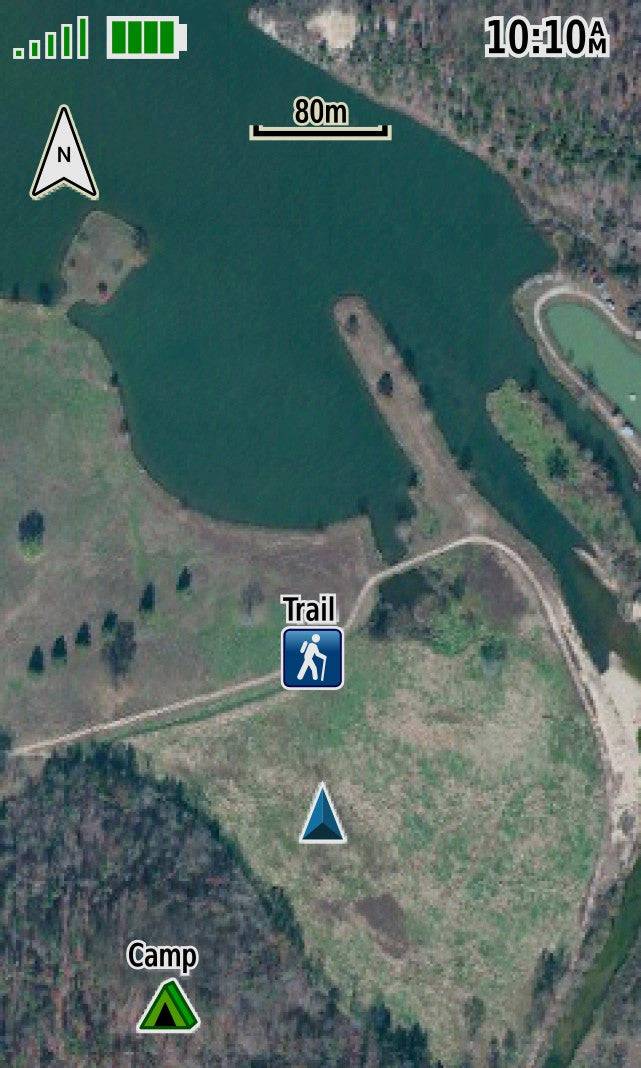
Only the Garmin HuntView Plus gps hunting maps offer BirdsEye Satellite Imagery to give you a clear view of exactly what you're walking into, plus 1:24K scale TOPO mapping, so you can easily navigate through forests and fields. 

With hunting maps for Garmin devices, you can find the best hunting spots quickly, while minding land ownership along the way. These preloaded microSD™ cards provide full state-by-state coverage with routable road and trail data, landowner names and boundaries, food/fuel locations, and more.

The HuntView Plus map cards even offer detailed hunting regulations and help you locate game in your state when you turn on the advanced Hunting Management Units feature. 

Whether you're deep in the forest or exploring open public land, Garmin's HuntView Plus maps offer full-coverage insight so you can get more out of your hunting trip. And with the convenient BaseCamp™ software, you can plan your hunts, transfer waypoints, and share your adventures with others.

Why our customers love Garmin hunting maps:

  • Easy-to-use mapping solution for hunters and outdoorsmen – plug-in microSD card or download the mapping to a blank microSD card from home
  • Identifies landowner names and boundaries for public/private land types and boundaries, using data from multiple sources for superior coverage and detail
  • Digital topography equivalent to 1:24,000 scale, like U.S. Geological Survey maps
  • Shows thousands of routable roads and trails with turn-by-turn navigation
  • Includes searchable points of interest: parks, summits, geographic place names, camping areas, businesses, and more
  • Provides Bureau of Land Management township, range and section information, plus USGS quad location
  • Includes hunting management units – containing boundaries and multiple species (where applicable). A device software update is required to view this information and some updates are coming soon.
  • Compatible with BaseCamp software for managing data on your GPS and computer, trip planning, playing back routes and tracks, geotagging photos and more
  • Full state coverage for other states, sold individually
  • Includes Hunting Management Units (HMU) - which is managed game in the state

The Garmin HuntView Plus MapCard is compatible with:

  • Alpha 100 / 200 / 200 Plus /200i / 300 / 300i
  • Astro 320 / 430 / 900, DriveTrack 71, eTRAX series, GPSMAP, and Montana Series
  • Alpha XL Navigator

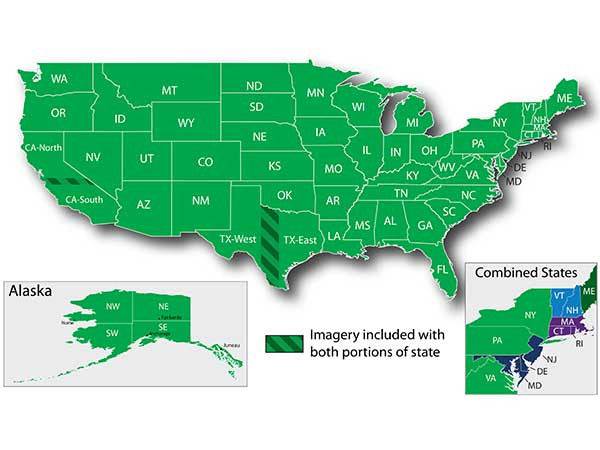
CLICK HERE FOR HUNTVIEW PLUS COVERAGE BY STATE

How to install Garmin HuntView Plus MapCards

  1. Remove Huntview Plus from packaging
  2. Locate the Micro SD Card along the edge of the larger adapter
  3. Open back of handheld, remove the battery
  4. For Vehicle GPS units, there is a card slot - simply insert the micro SD. For Alpha handhelds, there is a metal 'gate' under the battery, open it carefully
  5. Place the micro SD inside the compartment found under the metal gate. Make sure the brass teeth on the micro SD card line up with the teeth in the compartment. The small kickout piece on the micro SD card should sit inside the kickout area under the small metal gate
  6. Carefully close the metal gate making sure to get it to lock in place to securely hold the micro SD card
  7. Replace the battery
  8. Replace the back (if installing in the Tread or Navigator, you are simply sliding the micro SD in the card slot)
  9. Turn unit on. Allow up to 2 minutes for the images to be read and register on the unit
View full details